
Source code for analysis: What do book bloggers write about
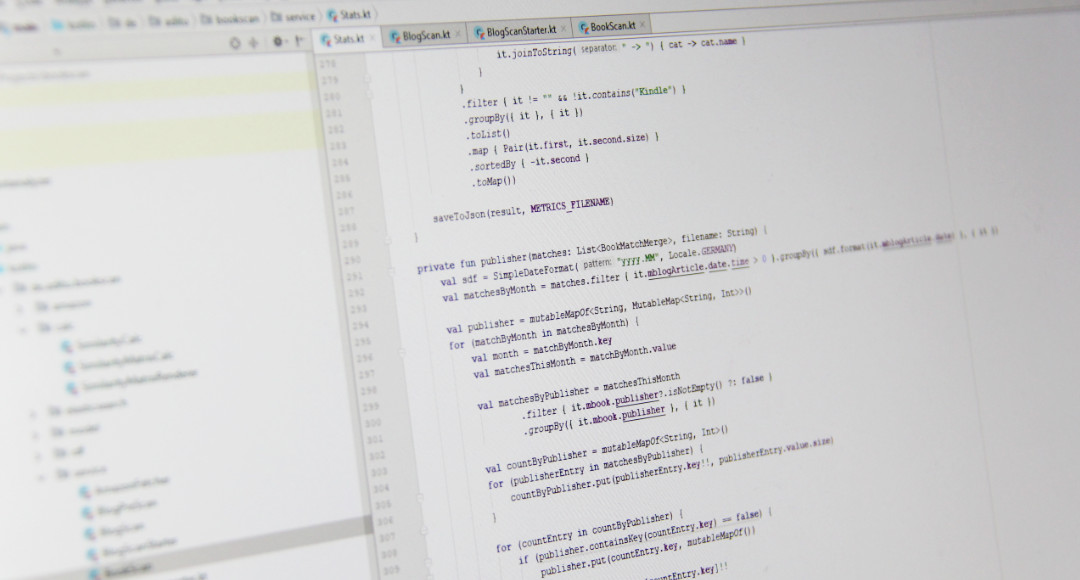
In my last post I published an analysis of the content of book blogs. The basis for this analysis is a program whose source code I am now making publicly available. Anyone can use it to validate the results, build their own study on top of my evaluation (for example, as part of a term paper), or go further and develop a tool or web service. Or simply take a look at how I approached it. In any case, I’m very happy to receive feedback and suggestions—especially if someone finds errors or inconsistencies. The implementation turned out to be quite complex; however, each individual processing step is a neat programming task that was very entertaining to solve—and at some point I just couldn’t keep my hands off it. This post is therefore primarily intended for software developers who bring some experience and knowledge of programming. If you’re interested in how the evaluation was created in detail, you can skim the specific details and still easily glean the approach from the individual processing steps.
I’ve put the source code on GitHub: https://github.com/SSilence/bookscan
There you can check it out and feel free to create a pull request with improvements. Or simply click through the code in your browser.
Preparation
Before I dive into the details, it’s important to set the stage and explain which language, frameworks, libraries, and tools I used. It’s quite a list, and anyone planning to run the source code themselves will need to do a little preparation.
As the programming language I chose Kotlin. The new star in the software development sky has really taken off since Google’s official support for Android development. And I have to say, I can totally see why. The language is very well designed and, compared to others, you can express a lot with little but very readable code. If you come from Java, the learning curve is very gentle and you’ll quickly be thrilled by how much boilerplate code you can save compared to Java. But even if you’re used to the functional style of JavaScript, you’ll feel at home with Kotlin quickly. I’m a huge fan of Kotlin, and it was clear I wanted to use it for a private project.
To structure the source code I used Spring Boot. The program for this analysis is designed as a command-line tool, but I actually ran it exclusively from my development environment. The Spring framework is brilliant, and with Spring Boot it’s become very simple to build an application with little configuration overhead. As a developer, you get a lot for free. In this project, however, I don’t actually use much of it—dependency injection and the CLI things. But as a framework it’s wonderfully simple.
As the development environment I used my preferred IDE for Java and Kotlin: IntelliJ IDEA. The Community Edition costs nothing and is excellent. That’s just a recommendation, though—anyone can use whatever development environment they’re used to for this program. As a build tool and for dependency management I use gradle. That’s pretty off-the-shelf and nothing special. To run everything you’ll of course also need an installed Java SDK, because Kotlin uses the JVM as its runtime.
As a data store—and later especially for efficient searching of the data volumes—I used ElasticSearch. Taking a closer look at ElasticSearch was one of my goals for this evaluation. This search engine uses a NoSQL store, is based on a Lucene search index, and offers a convenient RESTful HTTP API. There are ready-made libraries for accessing it in all sorts of languages. It’s also possible to run a distributed cluster designed for high load. That wasn’t necessary for this evaluation, but I greatly benefited from the high performance of the optimized Lucene index. Without ElasticSearch, some parts would have been a lot more work.
You can download ElasticSearch for free. Initially I used Spring Data for access, but support for ElasticSearch’s Scroll API wasn’t particularly well documented and seemed immature to me. That’s why I switched to using the ElasticSearch Java client directly, which also felt significantly faster. I still pull all the dependencies via Spring Boot Starter’s ready-made gradle dependency, and therefore you’ll need version 5.6 of ElasticSearch if you want to run this evaluation. Given the data volumes I pumped into the ElasticSearch instance, it’s highly recommended to increase the heap memory (with the environment variable ES_JAVA_OPTS -Xms8g -Xmx8g). Otherwise ElasticSearch can quickly crash with an out-of-memory error. From an operations perspective, ElasticSearch supposedly isn’t exactly a picnic, but I haven’t gathered my own experience there yet.
To fetch the blog posts I use the new Spring WebFlux client, but I barely use any of the new features since I’m only doing simple GET requests. Some themes rely heavily on JavaScript, and some blogs use security plugins that prevent access with a simple HTTP client. For such special cases I use a Google Chrome browser, which I remote-control from Kotlin via ChromeDriver, and use it to fetch the pages. You can download ChromeDriver here and you’ll need to specify it in applications.yml.
To retrieve information about the category of each book I use the Amazon Product Advertising API. You’ll need an account for this and must also provide your API key in applications.yml.
The program runs on Windows, macOS, and Linux—so there are no restrictions here. Some processing steps are a bit more memory-intensive. When running them, you should provide more heap space with -Xmx8g. Fundamentally, each step required a trade-off between memory and speed. My machine has 16 GB of RAM, which I put to good use.
The individual processing steps
To get the desired values, I run several steps one after another. Some are quite fast; others take a few days (for example, fetching the individual blog posts or retrieving book categories via the Amazon API). Each of these steps is invoked via a command-line argument. The following steps must be executed in sequence:
- importbooks: First, a database with all books published in Germany to date must be imported into the ElasticSearch instance. These books will later be searched for in the posts. I use the book database of the German National Library.
- importauthors: The title database of the German National Library contains only references to authors but not their actual names. This step imports all authors from the Integrated Authority File (GND).
- prescan: Before the individual posts of the blogs are loaded into the ElasticSearch instance, each blog is first checked to see whether the posts can be captured by the parser. If there are problems, they can be fixed in this step before the actual run starts.
- blogscan: This scans all blogs completely and stores all blog posts in ElasticSearch.
- bookscan: In this step, all blog posts are searched for all books (imported in the first two steps). For each book found in a blog post, an entry is created in ElasticSearch.
- amazon: For all books found, the categories are loaded from Amazon.
- statsprepare: All books found, the information from Amazon, and the information about the blog posts are combined into one large “table.” Based on this, the statistics are later generated.
- stats: The statistics are generated from the data. These are saved in JSON files; an HTTP server is started; and a JavaScript-based UI prepares the results for display and shows them.
importbook: Import DNB books
Finding a database with all books published in Germany so far was not easy. At first I thought of the Libri system used by all the bookstores and which is also the basis for genialokal.de. As far as I could see, the book database is run by VLB, and I asked if I could get access somehow, but I was quickly brushed off.
Then I came across the German National Library and their OpenData service. “The German National Library has the task of comprehensively collecting, permanently archiving, bibliographically recording, and making available to the public all German and German-language publications since 1913, Germanica published abroad, and translations of German-language works, as well as works by German-speaking emigrants published between 1933 and 1945.” (see dnb.de).
The book database comprises more than 14 million titles. For the evaluation I included only entries with an ISBN, which left 4 million books. If you assume that since the introduction of the ISBN in the 1970s about 80,000 books have been published each year, you end up at roughly 4 million books. Very roughly estimated, because I don’t know whether as many books were published per year fifty years ago. But there are also some scientific publications and foreign-language titles, which certainly were not discussed in blogs. I spot-checked some current and some older books and was able to find each one. The database strikes me as well maintained and complete. One thing I did notice, though: not all editions are listed. For example, The Dragonbone Chair by Tad Williams appeared from Krüger Verlag, Fischer Verlag, and in the latest edition from Klett-Cotta Verlag. However, the latter cannot be found in the DNB database. For the evaluation this means that statements regarding title, author, and later genre/category are very reliable, whereas statements about the publisher are fully correct only for matches via ISBN.
You can download this title database at https://data.dnb.de/opendata/ in RDF format. The import is then started via the command line:
java -jar bookscan-0.0.1-SNAPSHOT.jar --importbooks=C:\path\to\dnb\DNBTitelgesamt.rdf
Unpacked, the title database is over 26 GB. So during import you can’t just load and parse the entire database into memory; you have to use the SAXParser, which reads the XML file as a stream and processes it on the fly. The RdfParser class handles this. The SAXParser processes element by element, meaning you have to reconstruct the hierarchy—the nesting of the elements—yourself. My RdfParser does that as well, and for each parsed rdf:Description element from the DNB RDF file it executes a callback. This callback receives an RdfElement object, which can then be evaluated and processed.
The entire import process is executed by the DnbBookImporter class. It reads the information from the RdfElement and stores it in the ElasticSearch instance. But not book by book—that would take too long. Every access to ElasticSearch means an HTTP call with all its overhead. If you were to insert, say, 10,000 books, that would be 10,000 HTTP requests, which takes too long. Far too long for 4 million books. Therefore, I bundle 100,000 books at a time and store them in one go using ElasticSearch’s bulk requests.
importauthors: Import GND author names
The title database contains all books and, for some books, the authors’ names—but only for a small fraction. Otherwise, authors are referenced by an ID. You could query the author information via the URL (the ID is also a URL) or a DNB web service. But the information also exists in the Integrated Authority File (GND), which can also be downloaded via the OpenData page. This step reads all authors from the GND file, keeps them in memory via a HashMap, and then writes the full author name into each book. That’s redundant in terms of storage, but memory isn’t scarce, and later the search should be fast without having to load the authors again for every book. The import of the authors is started as follows:
java -jar bookscan-0.0.1-SNAPSHOT.jar --importauthors=C:\path\to\dnb\GND.rdf
In general, when you’re wrangling data like this, you have to think carefully about how to keep it in memory or in the ElasticSearch index. You can spend days on this author mapping if you pick the wrong data structures. So you need to know Java’s (or Kotlin’s) collections well. But that’s part of the appeal of this problem.
prescan: Pre-check whether blog posts can be parsed
Now we have a well-filled book database. But of course we still lack the blog posts to search through. Before getting down to the hard work of grabbing the posts, I added a check to ensure that my parser and website crawler can do their job correctly on each blog. Many blogs have a very similar structure since the base is usually WordPress or Blogspot. However, all sorts of themes are used. The CSS classes for posts, date, and title are usually identical in naming, but there are always exceptions. I also have to detect individual article pages—parsing overview pages would otherwise lead to duplicate hits.
The pre-scan basically does the same as the actual scan, except that it stops after successfully parsing four posts and outputs a success message. Or it aborts after 350 pages and outputs in detail what went wrong. It’s implemented in the BlogPreScan class. Crawling the pages—i.e., traversing all subpages of a URL—is implemented in the WebSiteFetcher class. It starts six threads which, starting from the home page, look for links, load them, then search those again for internal links, and so on, until there are no new links. For each page found, a callback function is called. The WebSiteFetcher is implemented generically and can be reused for the pre-scan and the actual scan.
java -jar bookscan-0.0.1-SNAPSHOT.jar --prescan=/path/to/your/urls.json
Parsing the individual page is handled by the WebSiteParser. It receives the fully loaded page and processes the HTML. It looks for and reads the title, the date, and the article content. As the HTML parser I use jsoup, an excellent library that also copes with broken HTML and works with CSS selectors. It can also sanitize HTML, which I use for the content and title of the post, because only the text is of interest, not any formatting.
Each page is read by the WebSiteFetcher with six threads—so there’s parallel processing per URL. Multiple blogs are also processed in parallel. The BlogScanStarter handles that. It groups by provider and always reads two blogs from blogspot.com, two blogs from wordpress.com, and ten from custom domains at the same time. For Blogspot or WordPress, that means twelve parallel accesses each. So my crawler doesn’t get blocked or attract negative attention at one particular provider, I limited it to these values.
Now, there are blogs with themes that rely heavily on JavaScript. Blogspot, for example, has a truly dreadful theme that’s not only ugly and sluggish but also very messy in structure. And there are blogs with security plugins or other measures that prevent my Spring client from accessing their pages. I do identify as Google Bot via the user agent, but even that doesn’t work in some places. For those cases, I enhanced my WebSiteFetcher, downloaded the ChromeDriver, and, with the help of the Selenium library, I now launch my local Chrome browser headless and load the pages in it. Selenium then allows convenient access to the page content of the loaded website. This works quite well. Access is much slower and I only use one thread for these sites, but since these are exceptions, it works fine. In theory, you could also start several ChromeDriver instances and fetch pages in parallel, but I didn’t bother with that.
Building a parser and making it work well for all sites was the most time-consuming part of the whole endeavor. At the same time, it’s a perfect opportunity to put Kotlin through its paces and showed me what a brilliant language it is. Everything just flows very well and can be implemented with little code. The Kotlin standard library also offers, for the later tasks, some excellent helper functions.
blogscan: Reading the blog posts
Implementation-wise, reading the blog posts differs little from the pre-scan. Here too I insert the captured blog posts into ElasticSearch in larger batches using a bulk request, otherwise the overhead would be too large.
java -jar bookscan-0.0.1-SNAPSHOT.jar --blogscan=/path/to/your/urls.json
With the parallel processing settings described above, reading takes about 24 hours. The configuration also allowed me to keep using my computer in parallel. If you crank things up too far, the notebook gets bogged down—which is annoying.
bookscan: Searching for the books in the blog posts
Now comes the essential step: the blog posts are searched for books. Again, it’s important to process in batches rather than element by element. The speedup compared to individual processing is considerable. If you were to load each book individually from ElasticSearch and search for it individually, it would likely take many days. Instead, I load a whole batch of books into memory and then make a MultiSearchRequest against ElasticSearch. In this way the search for the books takes about five hours.
I generate one query for searching by ISBN and another for title and full author name. ISBNs are interesting in this context. Some people give them formatted, i.e., with hyphens. The ISBNs from the book database, however, are unformatted. The positions of the hyphens vary because the individual parts of the ISBN have different lengths. Fortunately, I found a library that handles this for me. The ability to combine Java code with Kotlin allows you to leverage the entire Java ecosystem—another argument in favor of Kotlin.
With the bookscan you can really see ElasticSearch’s performance—actually the Lucene index under the hood. CPU usage quickly revealed that heavy parallelism is going on, and when I consider that in well over 600,000 articles we’re searching for nearly 4 million books, and that on my machine it took only a few hours—that’s impressive.
amazon: Extended book information
What always interests me in these evaluations are the genres. The classification information in the DNB database is optimized for library operations and has little to do with the categorization used by the average reader. One of the best-maintained databases is Amazon’s. Whatever you think of the company, technically they’re ahead of the pack. Amazon offers an API for their affiliate program through which you can search for books and retrieve information about them. Depending on how many sales you refer, Amazon allows more requests. Since I don’t really use the affiliate program, I’m allowed one request per second. That means retrieving the categories of the individual books took several days. It doesn’t require computing power, so it doesn’t matter if it runs in the background.
java -jar bookscan-0.0.1-SNAPSHOT.jar --amazon
To be able to reset my ElasticSearch instance at any time, I implemented an export and an import for this data that stores the information in an SQLite database:
java -jar bookscan-0.0.1-SNAPSHOT.jar --export=isbn
java -jar bookscan-0.0.1-SNAPSHOT.jar --import=isbn --file=isbn_your_file.db
At first I tried a library for accessing the Amazon API, but they were all so poor that I built my own client. That wasn’t too hard. The request—that is, the URL parameters—must be signed. The Java code for this can be found in Amazon’s docs, and I simply converted it into Kotlin (IntelliJ does most of that for you).
statsprepare: Prepare information for statistics
Now all the information is in place. To be able to evaluate it, there’s this one call that combines all the information about the books found and the articles into a single entity.
java -jar bookscan-0.0.1-SNAPSHOT.jar --statsprepare
I can then load this into memory once to generate the statistics and evaluate and search it from all angles. This is done in StatsPrepare, which is fairly unspectacular and takes about 30 minutes.
stats: Generating the data for the evaluation
In this step I load all book hits that I combined in the previous step from ElasticSearch and then generate all the evaluations one after the other.
java -jar bookscan-0.0.1-SNAPSHOT.jar --stats
The results are saved collectively in .json files. A JavaScript-based front end then handles displaying this data. With jQuery I load the data and visualize it with c3.js and some custom outputs (e.g., I preferred to build the horizontal bar chart myself because the chart libraries didn’t produce exactly what I wanted).
When the statistics have been generated (i.e., all .json files are present), I start a web server that makes these statistics available at http://localhost:8888/stats.html.
A real problem was the image of the matrix. I first created it in HTML, which of course resulted in a huge page. Browsers could display the matrix, but none of them—nor any add-on—could manage to generate a screenshot of the entire page. That’s pretty weak, one has to say. I had a similar experience with the long stats.html. In the end I created the image of the matrix directly in Java using AWT’s Graphics2D, which was surprisingly easy and very fast.
Sentiment analyzer
For the content assessment of the posts—i.e., how positive or negative the articles are—I looked for a Java library but unfortunately didn’t find anything. The Stanford CoreNLP library looked promising, which I integrated only to discover that it supports English only. Finally, I found a promising library for JavaScript, which I then used. As it turned out, this sentiment analysis is fairly crude. Based on a word list, each found word is scored and the result is summed and averaged. But by the time I realized that, I had already implemented it in JavaScript for Node, so I stuck with it. The included word list was rather sparse and not very informative. However, the University of Leipzig has a very good dataset, which I downloaded and adapted for the JavaScript library. In spot checks, the results seemed quite good.
Conclusion
To be honest, the effort for this evaluation isn’t really justified. But it was still worth it for me because I was able to test a whole lot. Kotlin is definitely one of my absolute favorites and a joy to develop with. That alone makes it worthwhile. But ElasticSearch also impressed me a great deal from a developer’s perspective. It’s really excellent, even if I can’t judge how good it is in production. As a cloud service where you don’t have to worry about that, I would use it without hesitation.
What I particularly enjoyed was seeing how important the use of the right data structures and the exploration of parallelism is here. The individual steps would be ideal as assignments for a course. I always just started building—and the first attempt was always so slow that even importing the DNB books would have taken several weeks. You are forced to think about what you can keep in memory, what you transfer to or from ElasticSearch in which batches, how you prepare data structures—maybe investing time up front that you win back many times over later.
All in all, it was a very entertaining little project that was a lot of fun. And I hope I might have inspired one or two people. I believe there’s still a lot that can be done here: develop useful tools, derive further evaluations (maybe for areas other than book blogs), or build a watchdog for specific content. I definitely welcome feedback and am happy to answer questions.
Uiiii das ist ja mal ein Artikel zum Austoben für Softwareentwickler/Blogger wie mich. :D Ich fand ja deine Auswertung schon stark und habe mich gefragt wieviele Stunden du da reingesteckt hast, wie lange dein Rechner rödelte und wie warm er dabei lief v.A. bei der Arbeit auf den Datenmengen. Aber Elas.-Seach und Lucene waren sicherlich eine gute Entscheidung. Lucene kenne ich von der Arbeit, habe aber leider nur kurz damit zutun gehabt. Allerdings kann ich mir vorstellen, was für ein Aufwand insgesamt in deiner Analyse steckt und die Ergebnisse sind ja auch sehr cool und ausführlich.
Der Ruf von Kotlin ist mir auch zu Ohren gekommen, aber ich habe bisher verpasst mir mal ein Hobby-Projekt zu suchen, um mich damit zu beschäftigen. Vielleicht browse ich einfach etwas durch deinen Code um mal ein Gefühl dafür zu bekommen wie sich Kotlin “anfühlt”. In jedem Fall sehr cool, dass du das alles zur Verfügung stellst – finde ich immer sehr lobenswert die Mentalität.